Galaxy XR
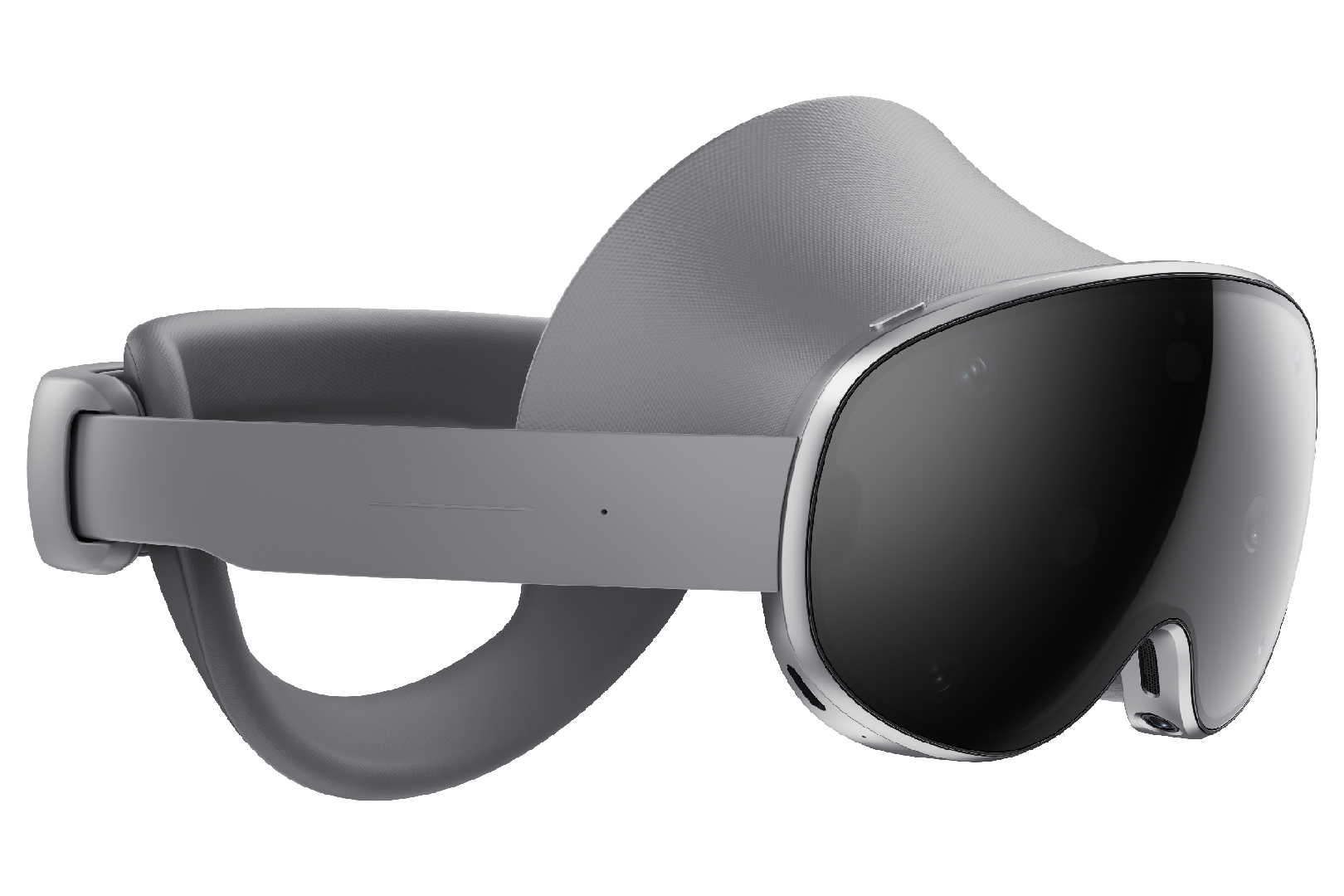
The Galaxy XR, running on Android XR, provides eye gaze tracking, detailed eye expression tracking, and face tracking. All eye and face tracking hardware is internal to the device (no additional hardware setup required). All eye and face tracking data is accessed via Android XR Face and Eye OpenXR extensions.
Setup
The basic Galaxy XR setup flow:
Eye Tracking Calibration
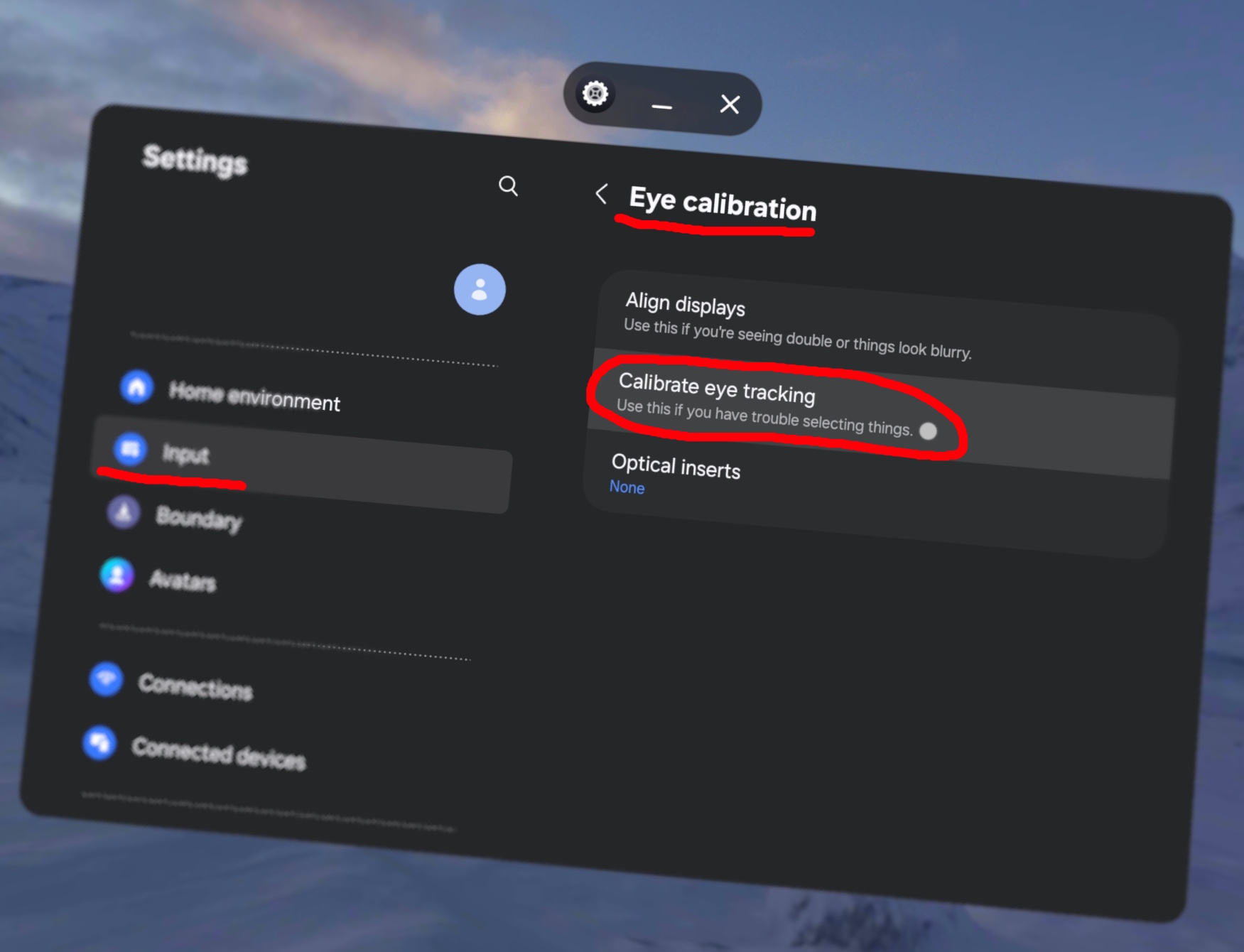
To calibrate eye tracking, open the Settings app, select "Input", "Eye calibration", then "Calibrate eye tracking". Follow the on-screen instructions.
Face Tracking Calibration
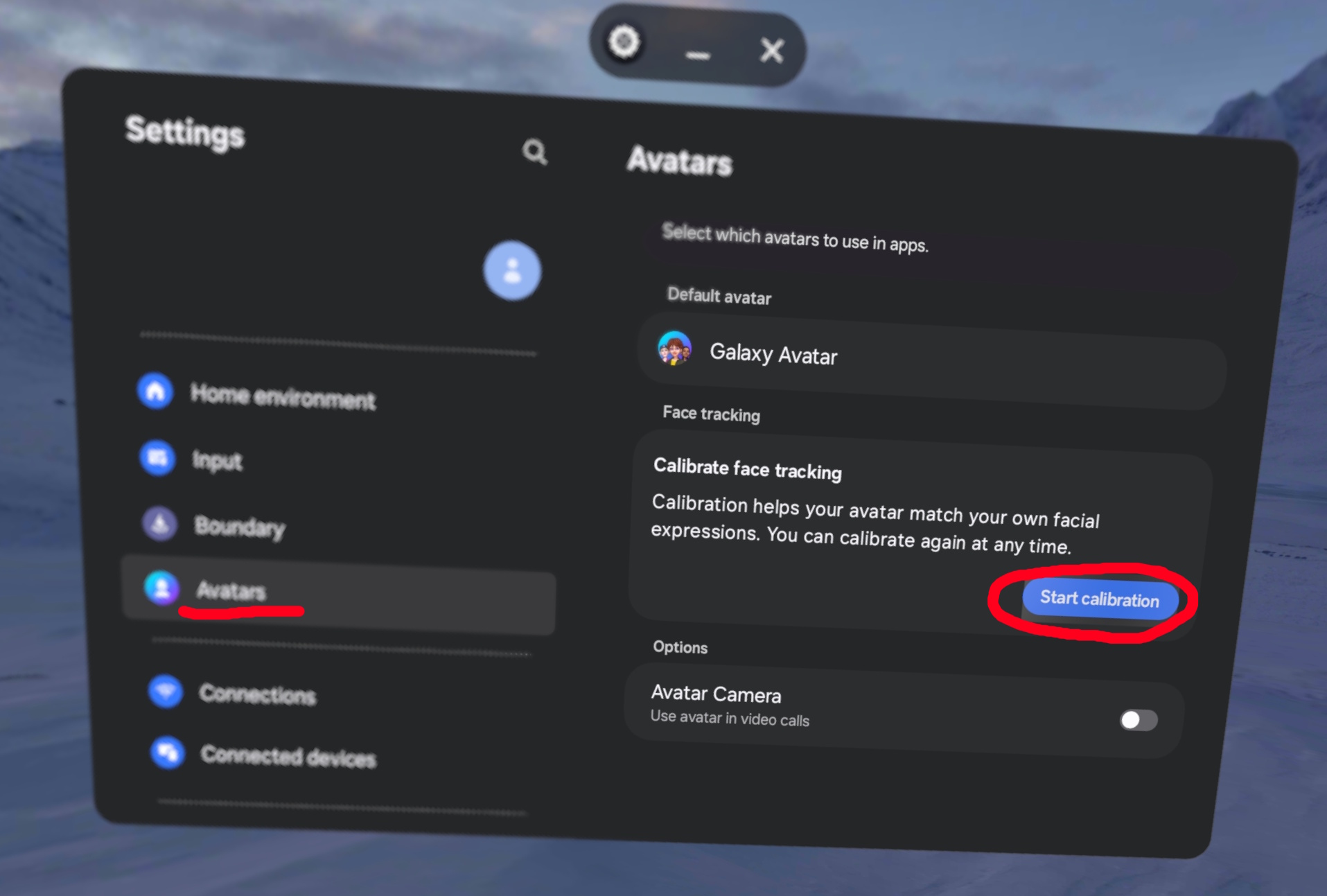
It is vital to initially calibrate face tracking for both Face & Eye tracking to fully work.
To calibrate face tracking, open the Settings app, then select "Avatars", then select "Start Calibration" under "Calibrate Face Tracking" and follow the on-screen instructions.
PCVR Setup
That's it for the standalone setup! Just use your compatible PCVR streamer of choice (following their respective setup guides) and you should be good to go.
Current compatible PCVR Streamers:
These link to instructions for the Quest Pro, but should still apply to the Galaxy XR.
Any streamer apps that need to be sideloaded can be done within the headset WITHOUT needing a phone app or 'Developer Account'.